
How it works
From one sentence to a live website
You describe your business in one sentence. Site by Eight writes the pages and makes the pictures, you pick one of twenty designs, and when you publish, your site goes live at yourname.sitebyeight.com. Building is free with an email; the $89 a month starts only when you publish.
Build free with your email. Pay only when you publish.
The steps
Six steps, and you decide at every one
Start with your email
Open app.sitebyeight.com and start with your email address. Nothing to install and nothing to pay.
Say it, in one sentence
Say what your business does, for whom and where. That is the whole brief.
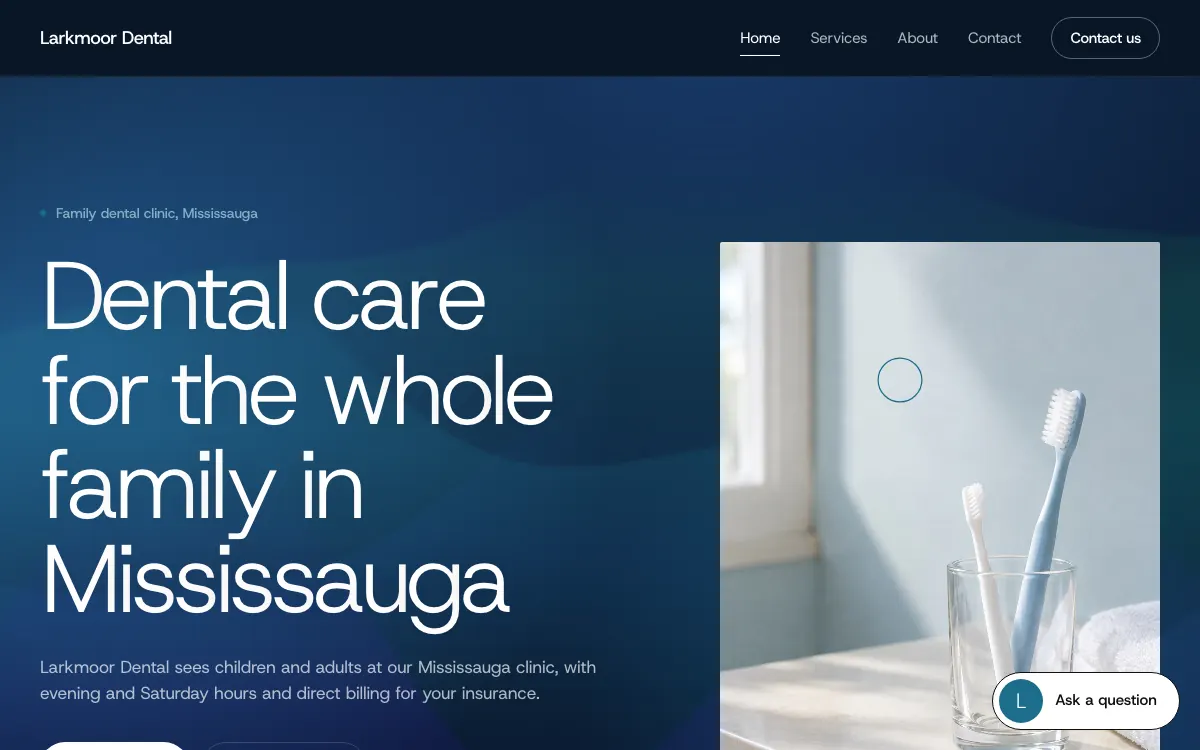
> Larkmoor Dental is a family dental clinic in Mississauga for kids and adults, open evenings and Saturdays, and we direct-bill insurance.
The site is written for you
Site by Eight reads your sentence, writes your pages (for example Home, Services, About and Contact) and makes your pictures. Every site also gets a contact form and a privacy page written from the site's own facts.
Pick a design
Choose one of twenty finished designs. A design changes only how the site looks: your words and pictures stay the same, and you can switch to another design later. See all twenty.
Look at it, and ask for changes
Read every page before anything goes live. AI tools make mistakes, so check that each fact about your business is right. To change something, ask your AI site manager in words: new text, a different design, another page. It prepares the change as a new version, and you decide whether it goes live.
Publish
You agree to the terms, your plan starts at $89 a month, and your site goes up at yourname.sitebyeight.com. You can connect a domain you own, or have one new .com or .ca registered for you after your first payment.
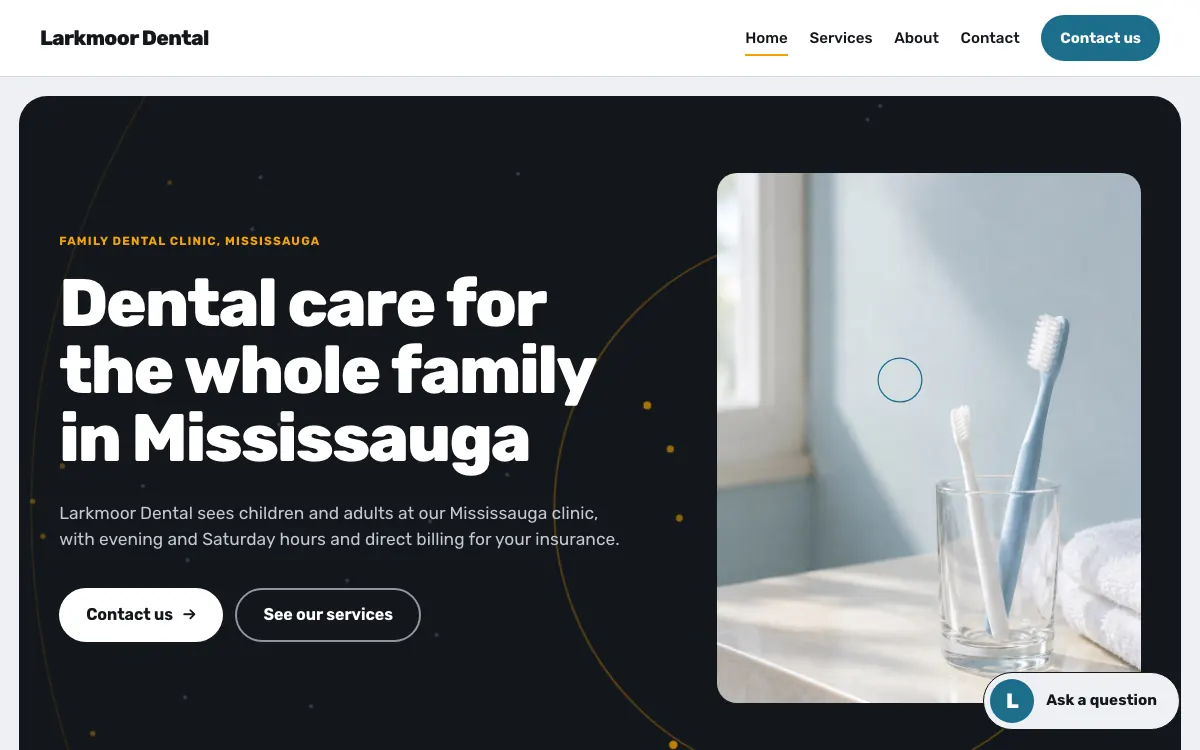
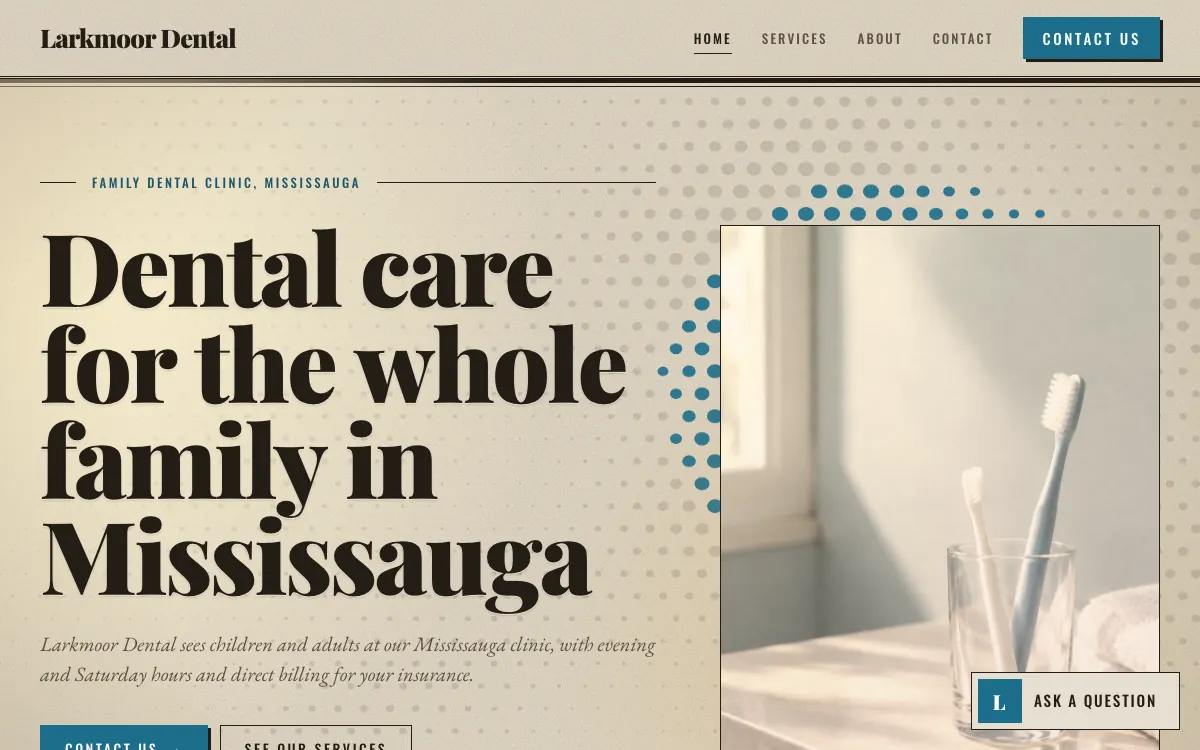
Same words, another look
The design is only the look
Your sentence becomes the words and the pictures. The design decides the typefaces, the colours and the way the page opens. That is why you can change the design at any time without rewriting anything: the same dental clinic, in two of the twenty designs, is on the right.
Every design also fits a phone, and every design moves: living backgrounds, headlines that arrive, pictures that reveal.
After you publish
What runs on your site from day one
- assistant
Visitors get answers
An assistant answers questions with words already written on your site and says which page they come from. When the site has no answer, it sends the visitor to your contact form. How the assistant works.
- forms
Requests reach you
Every message from your forms is emailed to you within about a minute, and a copy waits in your panel. The forms check that the sender is a person.
- asked
You see what people want to know
Questions the assistant could not answer wait in your panel, so you can add the answer to your site.
- connections
One detail each
Booking (Calendly), a payment link (Stripe), Google Maps, a Google reviews link, WhatsApp, Instagram and a newsletter sign-up. You type one detail, we draw the button, and it appears after your next Publish. No plugins.
- crm
Every enquiry becomes a lead
Paying owners can connect the CRM, 8ight Sales OS, after they publish. From then on every enquiry from the site becomes a lead, with a task to reply.
- versions
Every change can be undone
Each change is kept as a version of your site. You can go back to any of them.
Questions
Before you start
What do I need to start?
An email address and one sentence about your business: what you do, for whom and where. The more true detail the sentence has (your town, your hours, what makes you different), the more of it ends up on your site.
Will the site say things that are not true about my business?
The texts and pictures are prepared by AI tools from what you tell us, and AI tools make mistakes. Nothing is published as a fact about your business unless you supplied it or approved it, and you are asked to check your site before it goes live and after every change.
Can I edit the site myself?
You change it by asking in words. Your AI site manager prepares the change, you look at it, and you decide. There is no code to edit and no plugin to install.
When do I pay?
Only when you publish. Building and looking at your site is free. See pricing for what the $89 a month includes.
Read next
Say it. It’s a site.
Tell us what your business does, in one sentence. We build the site, and you see it before you pay.
Build free with your email. Pay only when you publish.